
Features
Nova is a desktop voice assistant. Ask it to work on code, report progress, find information, or continue the conversation from your iPhone.
Conversation and tasks
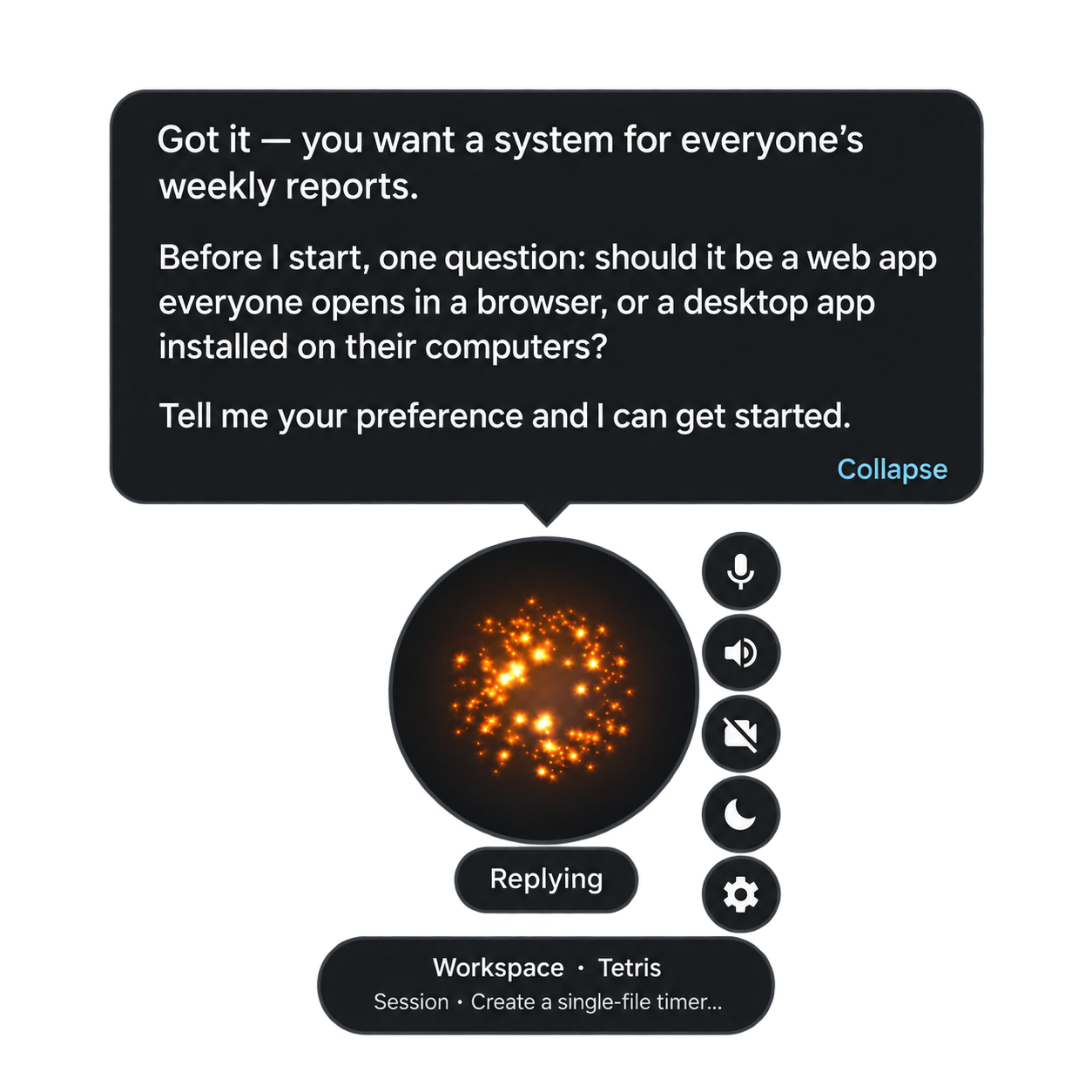
| Capability | What you can do |
|---|---|
| Realtime voice | Speak naturally and interrupt Nova's reply |
| Coding | Describe a goal, answer necessary questions, and let Codex execute |
| Projects and sessions | Create or switch projects and continue earlier work |
| Progress | Follow task banners, notification bubbles and conversation records |
| Permissions | Accept or decline an operation that requires approval |
Creating or switching projects requires confirmation. Recognition failure is not approval, rejection or cancellation. Disconnecting your phone does not cancel a coding task.
Workbench
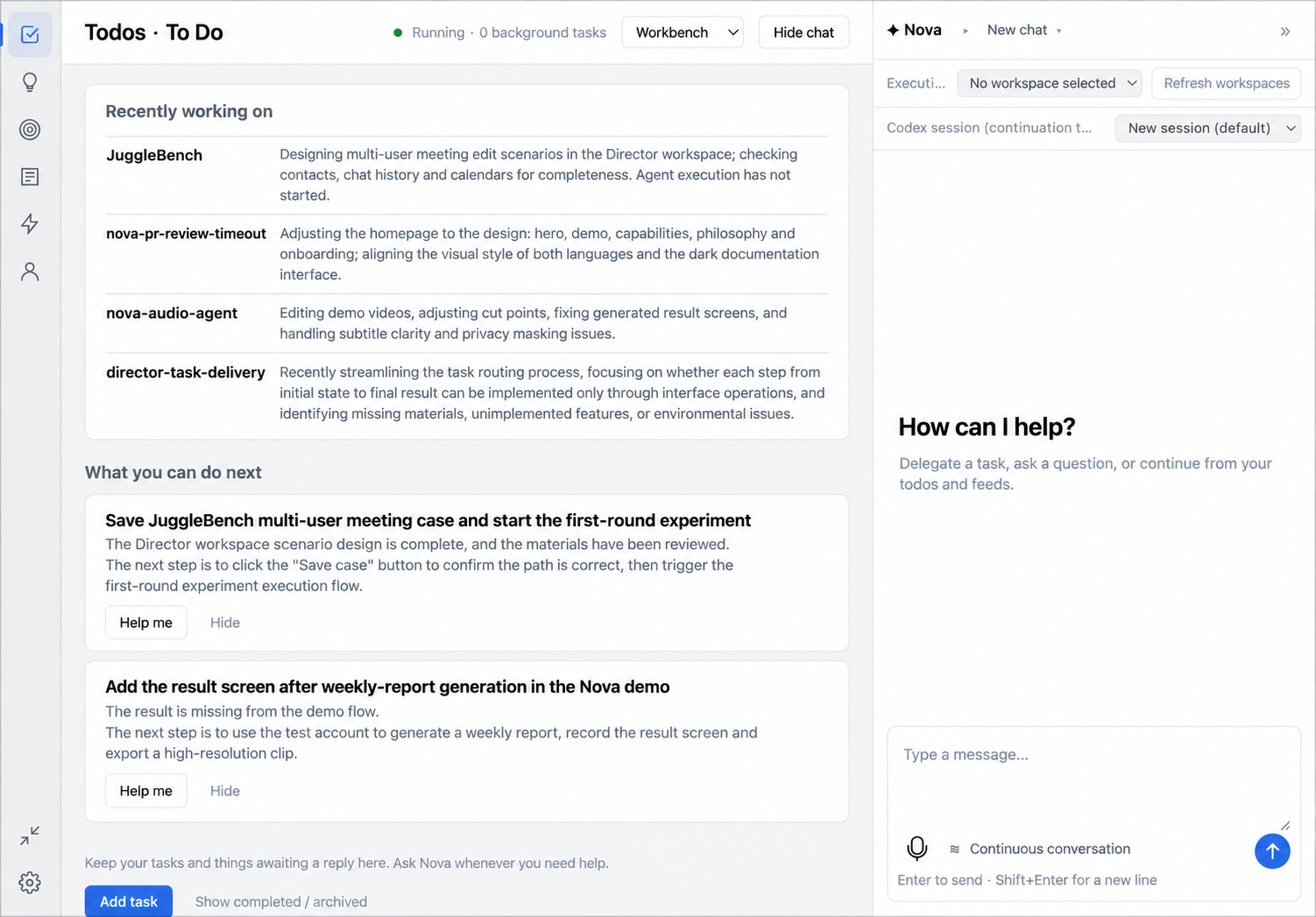
- Workbench is the desktop main window: an icon rail for Todos, Ideas, Goals, Feeds, Tasks and Profile beside a collapsible chat pane. See Workbench.
- Tasks delegate work with acceptance criteria you set; watch progress, take over to steer it directly, and hand it back to Nova. See Tasks.
- Todos, Ideas and Goals collect what Nova notices in conversation: a todo you state explicitly is recorded right away and can be undone, while other candidates wait for you to confirm, edit or skip them.
- Profile holds facts about you, including the personal memory view.
- Feeds surfaces a news feed tuned to your interests.
- Project pages show a recap card summarizing recent activity.
- Sources and connectors ground suggestions and recall in the accounts and files you authorize. See Sources and connectors.
- Voiceprint verification can restrict voice commands to a registered speaker.
Information and memory
- Search uses your configured search service.
- Personal memory recalls facts across conversations; it is stored by default in the local unified memory ledger, with mem0 available as an explicit alternative.
- Document knowledge searches imported files separately from personal memory.
- External tools connect through MCP, exposing only selected tools.
Voice, vision and phone
Qwen realtime speech is the default; OpenAI and Gemini realtime voice are also available. Cascaded mode lets you configure recognition, a language model and speech synthesis separately, from cloud services or from models you run yourself (see support matrix).
Conversation vision is off by default and requires a supported cascaded model. Independent monitoring watches a selected camera for your requested condition. Both need camera permission and an available device.
Local wake-word detection is optional. It can wake the idle orb, but cannot override explicit mute.
iPhone starts in realtime mode. Hosts supporting cascaded editable input also offer text chat and dictation drafts. The phone message list is not guaranteed to survive an app restart.
Limits
Coding needs a working, signed-in Codex installation. Model and search services need credentials. Local memory and document knowledge can still send text to remote models.
The default ledger's memory view supports correcting and forgetting entries; mem0 inspection does not yet offer those controls. Phone use needs the computer online; phone cameras and background wake words are not supported. Desktop targets macOS arm64, Windows x64, and Ubuntu 22.04+ x64.