
Workbench
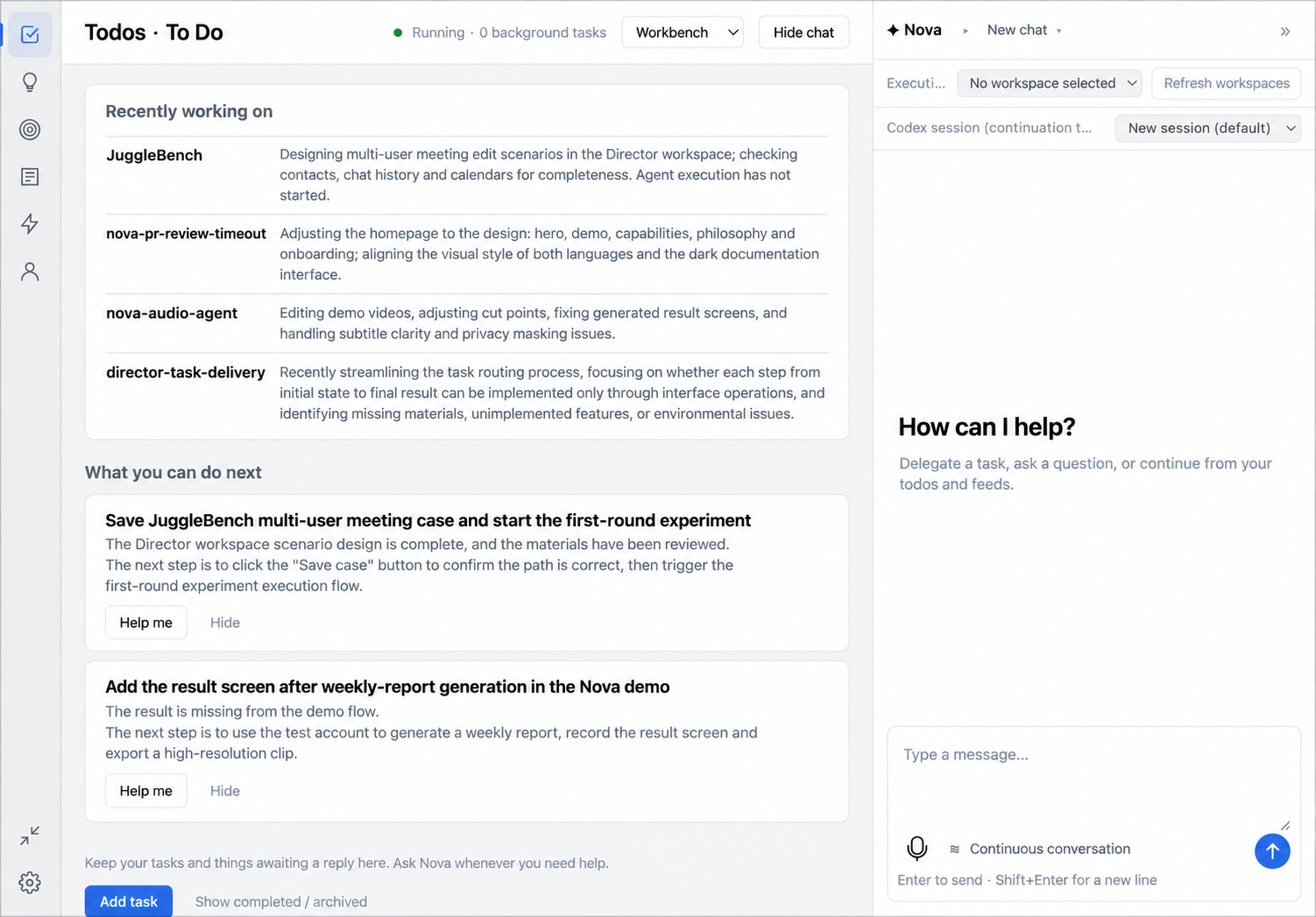
Workbench is Nova's main window. It opens a wide, persistent Nova conversation with a collapsible Timeline sidebar. The rail also opens Todos, Ideas, Goals, Feeds, Tasks and Profile.
Layout
| Rail item | Holds |
|---|---|
| Nova | Persistent main conversation with proactive reminders and task receipts |
| Timeline | Todo due dates and a separate group for undated items |
| Todos | Things to do, each open, doing, waiting, done or cancelled |
| Ideas | Loose thoughts you may later turn into a Todo or a Goal |
| Goals | Outcomes you're tracking, with success criteria and progress from their linked Todos |
| Feeds | An interest-ranked reading list |
| Tasks | Work you've delegated to an executor — see Tasks |
| Profile | A short description of you that Nova can draw on |
The conversation pane docks on the right and can be collapsed without leaving the page you're on. A status line reports whether Nova is connected and how many background tasks are active; while disconnected, anything you were drafting is kept for when it reconnects.
Switching how Nova appears
Nova can show up three ways: as the Workbench (this window), as a voice orb (a small floating conversation partner), or hidden. Switch between them from the tray icon menu ("Workbench" / "Voice orb" / "Hide"), or from the mode control at the top of any Workbench page. A separate setting picks which of these to open at launch — Orb, Workbench, or whichever you used last — and only takes effect on the next start; running npm run start:workbench from source opens the Workbench for that one launch regardless of the saved choice.
Todos, Ideas and Goals
These are yours to edit directly, but Nova also proposes changes. When something you say looks like a Todo, Idea, Goal or Profile addition, Nova shows it as a candidate quoting the line it based the suggestion on; you can edit the wording before accepting, or skip it. Some Todos are recorded automatically, and each one can still be undone while it hasn't changed since. Profile suggestions are appended to your existing text rather than replacing it.
Suggestion cards, drawn from the sources you've connected, offer to adopt something as a Goal, hand it to an executor, continue talking about it in chat, or dismiss it. A recap of what your recent project files show you've been working on can appear above the Todos suggestions.
Goal progress counts the Todos linked to it and excludes any that were cancelled; whether a Goal is actually done is always your call, never inferred automatically.
Direct @mentions of you in the Feishu chats you selected can be recorded as Todos once you have given both Feishu consents; see Sources and connectors.
Daily briefs
Optional morning and evening briefs summarize your Todos, calendar events and direct Feishu mentions as proactive reminders. Both are off by default. Turn them on in Settings → Connections & permissions → Daily briefs, where you can also set the times (08:30 and 18:30 by default), the repeat days (weekdays by default), the time zone and quiet hours (22:00 to 08:00 by default); no reminders are sent during quiet hours.
Feeds
Articles ranked to your interests, split into "For you" and "Saved". Until Nova has learned enough about what you read, it falls back to chronological order and asks you to confirm before switching to interest ranking. Each article shows why it was recommended. From an article you can read the original, save it, or convert it into a Todo, Idea or Goal — none of that authorizes Nova to act on it, it only records it. You can also tell Nova to show more or less of a given interest.
Profile
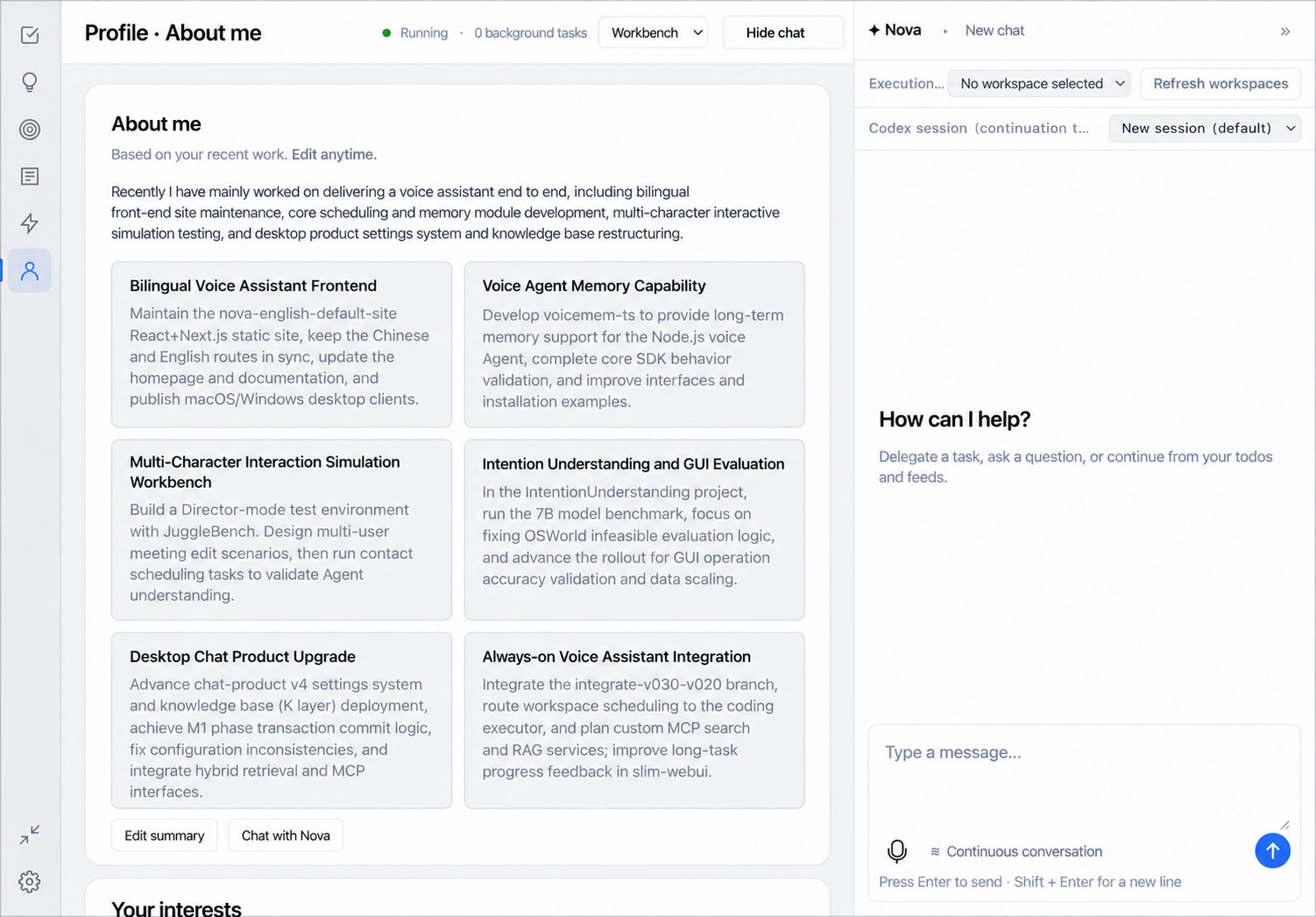
A short free-text description of you, edited directly or filled in gradually as Nova proposes additions from conversation.
Tasks · Sources and connectors · Personal memory · Features
Nova main conversation and Timeline
Workbench opens Nova by default. The main conversation persists and displays proactive reminders and task receipts. Task details, dedicated conversations and voice ownership stay independent. Collapse the Timeline sidebar or open the full Timeline from the rail.
Timeline uses actual Todo due dates and separates undated waiting items. Blue labels indicate time, rose labels indicate importance explicitly marked by you, purple indicates waiting, green indicates progress and amber indicates conditions such as past due. Each color has a text label. Set importance in the Todo editor or full Timeline; it updates the original item. Calendar coverage has not been confirmed, so this view does not represent your complete schedule.
Todo due is a nullable date (YYYY-MM-DD); creation and update timestamps are not deadlines. Direct-mention Todos from Feishu may carry extracted due dates and remain undated when no date is established. This view organizes dates and does not calculate conflicts between time slots.
Select an item title to reference it in Nova. Draft plan and follow-up actions request a concrete deliverable using that item. References are removable and their versions are checked at send time; drafts and existing execution approvals are preserved. Discuss an article on its own or select a Todo or Goal to explore applications. Interest matching does not automatically create personal-item relationships.